
Becoming governor of a state requires state-wide cooperation and a lot of hard work. So…you’ve made it! You’re governor! Now what?
Here is a complete guide to becoming governor, and what to do once you get there.
Zenith and Wasteland King / Wasteland War
[It’s been a while since I’ve been to a new state, so if anyone has more recent or accurate information, please do so in the comments, and I’m happy to make the updates]
New states usually begin on Sundays, and the timing is every 1 to 3 weeks, I guess based on demand.
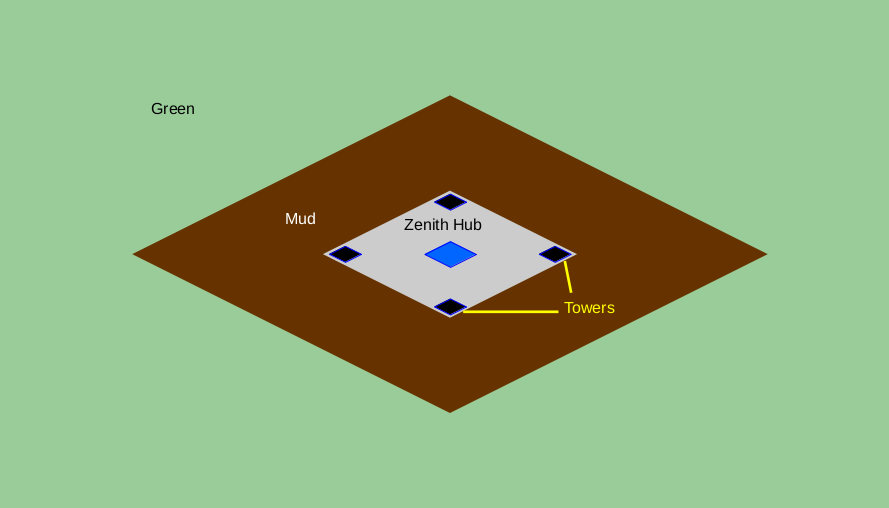
The Zenith Tech Hub is located at the center of the map, at coords X:256 Y:512. The gray area is known as “Periphery of Zenith Tech Hub”. I believe it used to be called “Zenith Plaza”.
4 weeks after a state begins, it goes through the Zenith event on Saturday at reset +10 hours, and the first Governor (Gov) is chosen in one of two ways:
- Whichever alliance holds the Zenith Tech Hub for 8 continuous hours becomes the governing alliance. If an alliance manages this, the hub immediately becomes shielded for two weeks, and no further attacks on the hub or turrets are possible.
- If no alliance holds the Zenith Tech Hub for 8 continuous hours, the alliance with the most aggregate time holding the hub becomes the governing alliance. At the end of the event, the hub becomes shielded for two weeks.
Some states start off as a dictatorship, where one large alliance takes over the state from the beginning. Other states develop a council, and establish a rotation for governing alliance.
Gov can:
- Appoint State Titles
- Award Boxes
- Use State Decrees (state “boosts”, similar to Alliance Skills, but state-wide)
- Set Immigration Rules
- Change the State Name
- Change the State Bulletin
- Allocate resources from state coffers
Two weeks after the first Zenith, on Saturday at reset +10 hours, there is a second Zenith (start +6 weeks).
After reset following the second Zenith, the state opens for players from other states to fly in, subject to state age and HQ size requirements. As with any state, if an account would appear as top 10 on the leaderboard (true might), they must apply for Immigration, which must be granted by the Gov.
Two weeks after the second Zenith (start +8 weeks) also on Saturday at reset +10 hours, Zenith becomes Wasteland King (referred to as WK, WLK, or Wasteland War). Although the rules are exactly like Zenith, your state also goes up against another state (and later, up to three other states) which can be conquered or conquer your state.
So, during WK, you have to defend your hub from all other alliances within the state (like Zenith) but also against alliances from up to three other foreign states.
Most states form a “state shell” – an alliance that is only populated for statewide events, including WK. This allows the strongest players from all alliances to team up in order to hold the hub or conquer another state.
If your state is conquered, there is no governor until the next WK begins:
- No State Titles
- No Boxes
- No State Decrees
- No rss allocation from state coffers
- Taxes within the state go to the conquering state’s coffers
- Can’t change the state bulletin
- Can’t change the state name
- The player with the highest true might becomes the “gatekeeper”, and can approve immigration
On the other hand, for each foreign state that you conquer:
- You get extra boxes
- The conquered state pays taxes in to your state’s coffers
- This provides an incentive for the top alliances within a state to work together.
From this point, WK occurs every two weeks on Saturday at reset +10 hours, with Valiant Conquest occurring on the intervening Saturdays during the same timeframe.
Becoming Governor
When one of the following two things happens, the Governor (Gov) can be appointed:
- If an alliance holds their own Zenith Tech Hub for 8 consecutive hours, Gov can be appointed immediately
- If an alliance has the most occupation time for their own hub during the event, Gov can be appointed at the end of the event.
One either of these conditions are met, the R5 of the winning alliance gets a special icon that they use to appoint Gov.

Clicking the icon allows the R5 to select one of their alliance members, who gets the title of Governor:

Typically, the easiest way to accomplish this is to transfer R5 to the incoming Gov, and let them appoint themself.
Once you click “Appoint”, you get a confirmation:
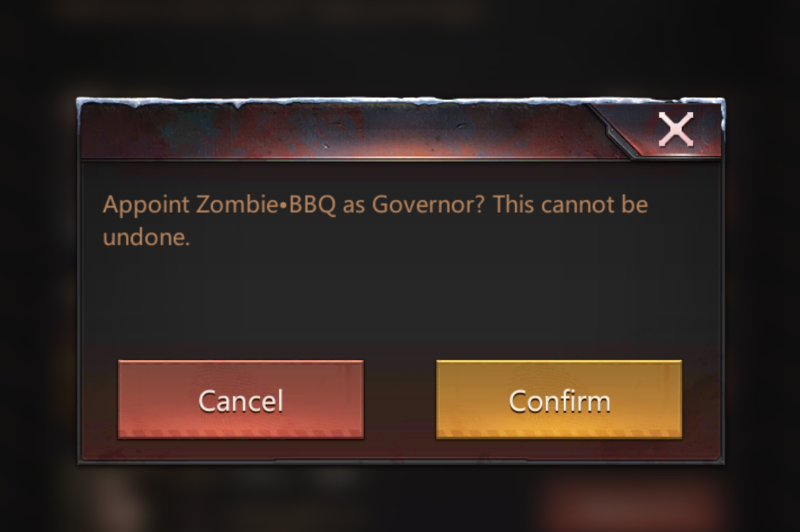
Clicking “Confirm” makes it official!
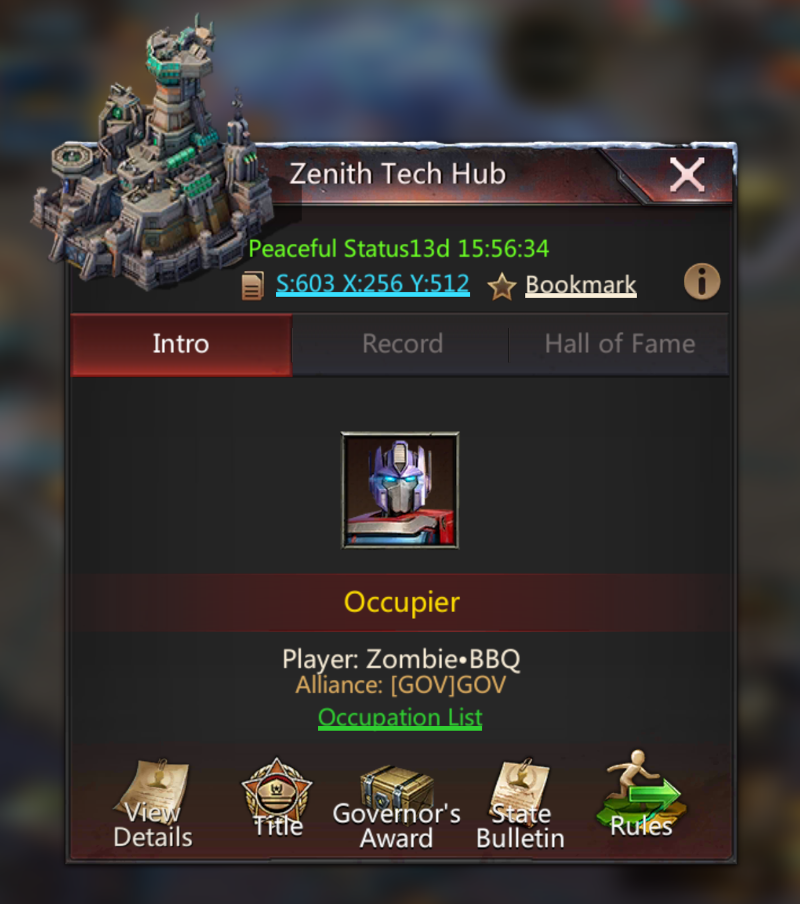
“It’s good to be the king!”
– Mel Brooks
You even get a nice little system message:

There is an 8-hour time limit to appoint the Governor title. If no Governor is appointed within 8 hours, the R5 of the winning alliance is automatically appointed.
Once appointed, the “Governor” title is permanent until the start of the next WK event. The Gov title can’t be transferred nor re-appointed.
If the player holding the Gov title leaves the state during their term, the Gov title is stripped. All other State Titles are dropped. Access to allocate boxes, decrees, or coffer resources is lost, and Gate holder reverts to the top highest-might player in the state, as it would if the hub was lost to a conquering state.
At the end of your term, you get a nice little system message informing you of such:
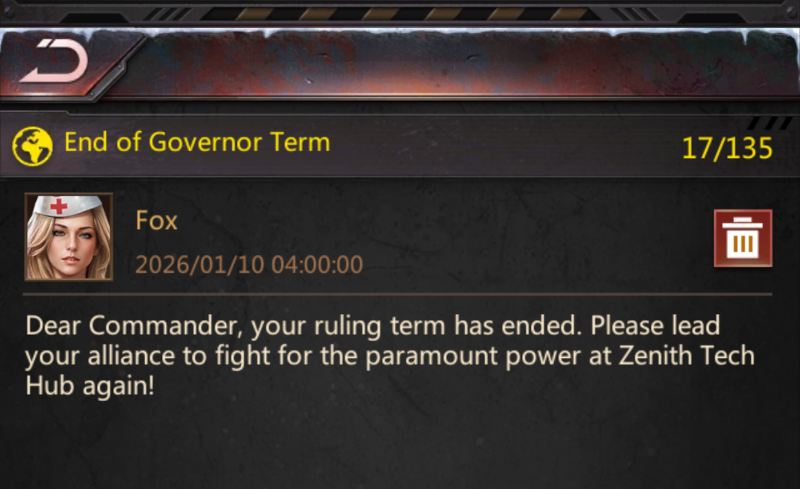
Note that the time stamp is exactly reset +10 hours, which is exactly when WK starts. In my case, in U.S. Central time (during the winter), that occurs at 4:00 AM.
Governor’s Responsibilities
We will review HOW to do some of these things later, but here is a list of things that Gov is expected to do, and when.
Appoint Your Aide (Immediately)
Aide is a State Title. However, unlike other State Titles that give boosts, Aide has many of the powers of Governor:
- Appoint titles
- Award boxes
- Activate State Decree (Boosts)
- Allocate resources from coffers
Your aide should be someone you trust, because they wield a lot of power. Although appointing an Aide isn’t mandatory, it’s helpful so that you (as Gov) don’t have to do every single thing by yourself.
Activate Fast Comeback (Immediately or After Reset)
Fast Comeback is a state decree that boosts training speed by 300%.
In some states, players start complaining immediately if Fast Comeback isn’t activated as soon as the hub is taken. Another option is to wait until Reset.
Appoint Titles for your Captains (As Soon As Possible)
State Titles should go to your building captains, plus anyone who significantly contributed. For example, anyone who held buildings in another state.
Titles can be rotated once per day.
Award Boxes (Within A Day or 2)
Different states have different plans. For example, some states prioritize bigger boxes for captains and other players who had higher troop losses. In other states, the ruling alliance awards themselves all of the boxes.
I find that the best approach is to “spread the wealth”:
- King’s Sword:
- Option 1: Goes to you (the new gov)
- Option 2: Goes to the player with the highest damage
- Ruler’s Hand: Goes to building captains
- Loyalty: Goes to large players, large contributors, and R5 of contributing alliances
- Contribution: Based on participation, prioritizing troop level
Collect Diamond Harvest 3x Every Day
“Diamond Harvest” State Degree gives the governor 200 diamonds, and can be collected 3 times per day (600 per day). Be sure to set a reminder!
Activate State Decrees on Ace Day
Ace-related decrees should be activated on Ace day immediately after reset. For example, I’m in the U.S. and reset occurs at 7 PM for me (6 during the winter). Reset on Monday night for me concludes Ace Day 1 (Heroes), so immediately after reset I would activate Construction and Research decrees.
| Ace Day | Boost | Duration |
|---|---|---|
| I – Heroes (Sunday) |
n/a | |
| II – Build / Research (Monday) |
|
24 Hours |
| III – Stamina / AP / Gather / Sim (Tuesday) |
|
24 Hours |
| IV – Training (Wednesday) |
|
7 Days |
| V – Bio / Gear / Mecha (Thursday) |
n/a | |
| VI – Enhance / Promote / Mod (Friday) |
n/a | |
| VII – Build / Research / Train (Saturday) |
n/a |
Note: Day 7 (Build / Research / Train) occurs after WK, and therefore there is no point in wasting boosts on Day 7.
Address Immigration and Other Requests (As Needed)
Governor should approve or reject Immigration requests as needed.
In most states, this should be preceded by a council vote.
Also, as Gov, sometimes people from other states reach out with request ranging from bizarre to benign. However, most requests from other states are about:
- Alliance Immigration
- References or background checks for players or alliances that want to immigrate to other states
- Most of the time, Gov’s job is to act as a conduit to council.
Requests from inside the state can be equally varied, but typically consist of:
- Request for positive titles
- Request for negative titles (some people like the negative titles)
- Request for boxes
The Gov’s job is to evaluate each request, or delegate to the Aide.
Build Good Will (Optional)
Governor should be an ambassador for good will within the state. Here are some things that Gov can do:
- Visit top alliances. This is a great way to meet players within the state and build good will between the Governor’s home alliance and other alliances.
- Organize state-wide events. Since Gov can allocate resources, organizing simple state-wide games can be fun and also encourages teamwork. Examples:
- Trivia night or trivia contest
- Chicken hunt (find the hq or find the camp)
- State-wide themed name change contests are simple and fun.
- Recruit. Recruit good players and alliances from other states.
Handle Special Situations (When Needed)
There are a few special situations where Gov might need to act directly. These very rarely occur, especially in cooperative and well-established states.
- Assign negative titles to individuals deemed by council to be EOS (Enemy of the State)
- Assign negative titles temporarily based on bullying, harassment, or other inappropriate behavior, outside of EOS.
- Occasionally, the Gov is required to act as a tie-breaker, or to negotiate certain situations that don’t require a council vote.
Note: If you have a player who is going around the state attacking other accounts, try to assign one of these negative titles in order to slow down their attacks:
- Deceiver: -6% March Speed
- Late-comer: -18% March Speed
- Slacker: -12% March Speed
Other Stuff
Things that should be outside the Governor’s purview:
- Tile disputes
- Land (territory) allocation and disputes
- NAP breaks
- Superweapon (SWP) disputes
All of these situations should be handled by the Council.
Governor’s Abilities – Overview
This section focuses on explaining all of the stuff that a Governor can do, and HOW to do these things will be explained in the next section, “Using Governor’s Abilities”.
State Titles
Titles give individual boosts to the title holder. Titles can be appointed or removed at any time, but can only be re-appointed once per day. The exception of course is the Gov title which can’t be moved nor removed.
- All titles drop at the start of the next WK event (Friday reset +10 hours).
- Governor gets a purple box around their text in all chats.
- Title holders get a cyan box around their text in all chats.
| Title | Disposition | Effect |
|---|---|---|
| Governor | Governor |
|
| Aide | Positive |
|
| Deputy | Positive |
|
| Marshall | Positive |
|
| Agronomist | Positive |
|
| Chief of Staff | Positive |
|
| Chief Justice | Positivie |
|
| Warden | Positive |
|
| Quartermaster | Positive |
|
| Architect | Positive |
|
| Head of Research | Positive |
|
| Failure | Negative |
|
| Sharp-tongue | Negative |
|
| Envious | Negative |
|
| Coward | Negative |
|
| Deceiver | Negative |
|
| Late-comer | Negative |
|
| Cursed | Negative |
|
| Slacker | Negative |
|
| Fool | Negative |
|
There are a total of:
- 1 Governor title
- 10 Positive titles
- 8 Negative titles
State Decrees (Statewide Boosts)
Aside from “Diamond Harvest”, decrees can be used only once per term (once per WK).
Boosts used for Ace should be activated at reset, as soon as the corresponding Ace day starts. (See “Activate State Decrees on Ace Day” Above)
| Decree | Duration | When | Decree Pts | Effect |
|---|---|---|---|---|
| Diamond Harvest | n/a | 3x Per Day | 9,000 | (3000 Decree Pts) harvest 200 diamonds. Can be activated 3x per day. |
| Fast Comeback | 24 Hours | Immediately | 10,000 | Training Speed +300% |
| Construction Boost | 24 Hours | Ace | 3,000 | Build Speed +20% |
| Research Boost | 24 Hours | Ace | 3,000 | Research Speed +20% |
| Training Boost | 7 Days | Ace | 5,000 | Training Speed +30% |
| Gathering Boost | 24 Hours | Ace | 3,000 | Gathering Speed +20% |
| Light of Fortune | 7 Days | ? | ? | Diamonds gained from purchases +5% |
Light of Fortune is only available if you conquer another state. When available, I usually activate it immediately.
State Bulletin
Gov can edit the state bulletin. Typically, the bulletin is used to inform players both foreign and domestic about the rules of the state.
Most states post tile rules, but that can be a red flag if there are many or excessive tile rules beyond “First to march gets the tile”. I’ve seen states with 3 paragraphs of tile rules, and personally, I would never live there.
NAP conditions should be spelled out. For example, list of NAP alliances or “statewide NAP”.
Disposition of un-tagged accounts – typically un-tagged accounts (without an alliance) can be attacked except on weekends during WK and VC.
Other state-wide rules, such as no drama, etc.
Who to contact for immigration, etc.
Awards (Boxes)
The Gov or Aide can allocate Awards (boxes). At one time, a single player could be awarded multiple boxes, but during one of the recent updates, any player can receive at-most one box.
Items from the box appear in the player’s inventory, and vary by grade:
| Box | Reward | Starter | Bronze | Silver | Gold | Platinum | Diamond |
|---|---|---|---|---|---|---|---|
| King’s Sword | Natalie Frags | – | – | – | 10 | 16 | 20 |
| Solar Panels | – | – | – | – | 5 | 20 | |
| Diamonds | 10,000 | 10,000 | 10,000 | 10,000 | 10,000 | 10,000 | |
| Apex Hero Frame | 7-Day | 7-Day | 7-Day | 7-Day | 7-Day | 7-Day | |
| Blueprints | – | – | – | – | 2,000 | 4,000 | |
| Food | 11.2M | 15M | 18.7M | 22.5M | 22.5M | 22.5M | |
| Wood | 11.2M | 15M | 18.7M | 22.5M | 22.5M | 22.5M | |
| Steel | 2.2M | 3M | 3.7M | 4.5M | 4.5M | 4.5M | |
| Gas | 562.5K | 750K | 937.5K | 1.1M | 1.1M | 1.1M | |
| 60-min Omni Speedup | 70 | 70 | 70 | 70 | 70 | 70 | |
| Ruler’s Hand | Natalie Frags | – | – | – | 5 | 8 | 12 |
| Solar Panels | – | – | – | – | 1 | 10 | |
| Diamonds | 7,000 | 7,000 | 7,000 | 7,000 | 7,000 | 7,000 | |
| Apex Hero Frame | 7-Day | 7-Day | 7-Day | 7-Day | 7-Day | 7-Day | |
| Bllueprints | – | – | – | – | 1,000 | 2,000 | |
| Food | 4.5M | 6M | 7.5M | 9M | 9M | 9M | |
| Wood | 4.5M | 6M | 7.5M | 9M | 9M | 9M | |
| Steel | 900K | 1.2M | 1.5M | 1.8M | 1.8M | 1.8M | |
| Gas | 225K | 300K | 375K | 450K | 450K | 450K | |
| 60-min Omni Speedup | 45 | 45 | 45 | 45 | 45 | 45 | |
| Loyalty Box | Natalie Frags | – | – | – | 2 | 5 | 8 |
| Solar Panels | – | – | – | – | – | 1 | |
| Diamonds | 3,000 | 3,000 | 3,000 | 3,000 | 3,000 | 3,000 | |
| Food | 2.2M | 3M | 3.7M | 4.5M | 4.5M | 4.5M | |
| Blueprints | – | – | – | – | 500 | 1,000 | |
| Wood | 2.2M | 3M | 3.7M | 4.5M | 4.5M | 4.5M | |
| Steel | 450K | 600K | 750K | 900K | 900K | 900K | |
| Gas | 112.5K | 150K | 187.5K | 225K | 225K | 225K | |
| 60-min Omni Speedup | 25 | 25 | 25 | 25 | 25 | 25 | |
| Contribution Box | Diamonds | 1,000 | 1,000 | 1,000 | 1,200 | 1,500 | 1,800 |
| Food | 250K | 250K | 250K | 250K | 250K | 250K | |
| Wood | 250K | 250K | 250K | 250K | 250K | 250K | |
| Steel | 50K | 50K | 50K | 50K | 50K | 50K | |
| Gas | 12.5K | 12.5K | 12.5K | 12.5K | 12.5K | 12.5K | |
| 60-min Omni Speedup | 5 | 5 | 5 | 5 | 5 | 5 |
Coffers
The Governor or Aide can allocate up to 10 million resources per player.
- If your state keeps its hub, taxes from your own state go to the state coffers.
- If your state is conquered, your state’s taxes go to the conquering state.
- If you conquer a state, your state gets your state’s taxes plus those of the conquered state.
The state coffers DO NOT reset at WK, and should be saved unless needed. For example, if a big player is working on a big build, this is a good use of coffers. Another good use is to allocate rss to the accounts who maintain the state shell.
Set State Name
Allows the Governor to change the state name. State names appear when you scroll through the list of states, or when you click on an empty tile.
Set “State Rules” (and Approve Immigration)
The Gov can set the max HQ level allowed to immigrate, as well as approve or deny Immigration requests.
When immigration is allowed past the current HQ level limit, the new player’s HQ size becomes the lower limit. Also, the limit can’t be set below the maximum HQ limit within the state.
For older states, this usually means that HQ limit is set to 45, and can’t be changed, and therefore, this feature is primarily designed to protect newer states.
- If the player’s HQ is above the limit, they can’t even apply for immigration.
- If the player’s HQ is at or below the limit, but their true (highest) might would be within the top 10 in the state, they are required to apply for immigration, and require approval by the Governor or Gatekeeper.
- If the player’s HQ is at or below the limit, and their true (highest) might would be below the top 10 in the state, they are allowed to immigrate without approval.
The reason immigration is based on true (highest) might is so that a big player can’t kill all of their troops in order to sneak in under the limit.
Using Governor’s Abilities
This section focuses on HOW to do stuff. For a detailed explanation about how all of these abilities work, see “Governor’s Abilities – Overview” above.
Zenith Hub
The main way to use your abilities as Governor is via the Zenith Hub located at X:256 Y:512.
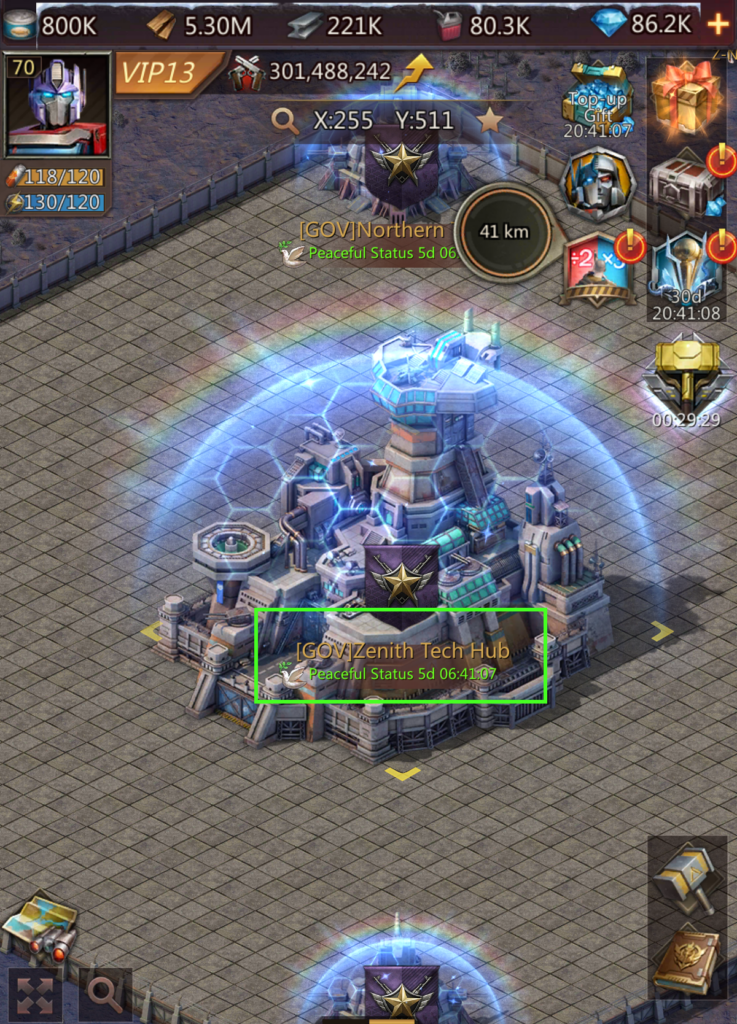
Clicking on the Zenith hub brings up the Zenith Tech Hub panel:
Clicking on “View Details” brings up the details panel:
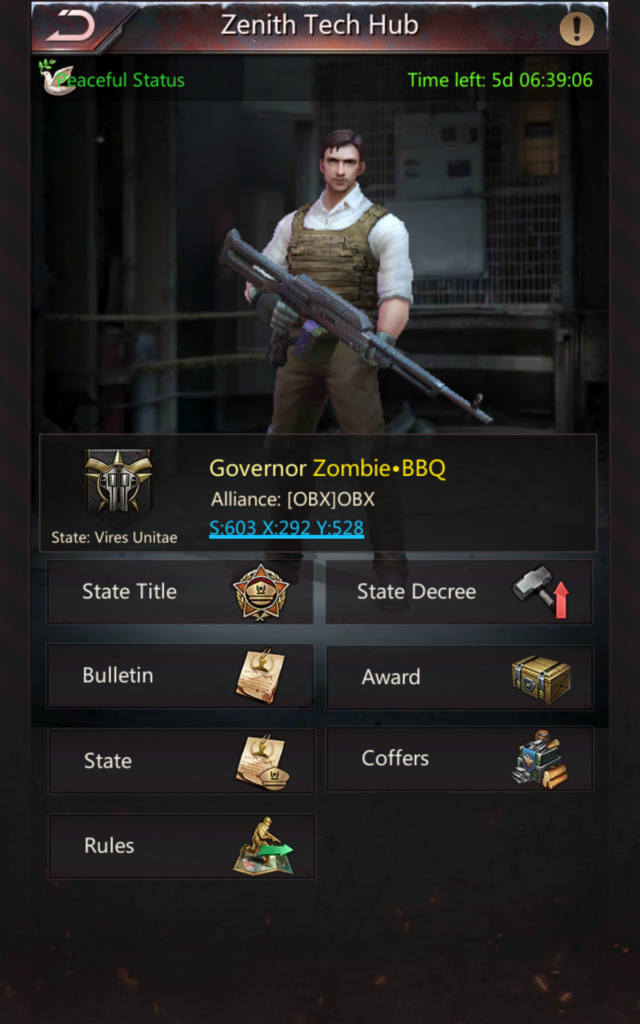
Note that the following options appear on both panels:
- State Title (Title)
- Award (Governor’s Award)
- Bulletin (State Bulletin)
- Rules
The following can only be accessed from the Details panel:
- State Decree
- State (Edit State Name)
- Coffers
Appoint State Titles (Gov + Aide)
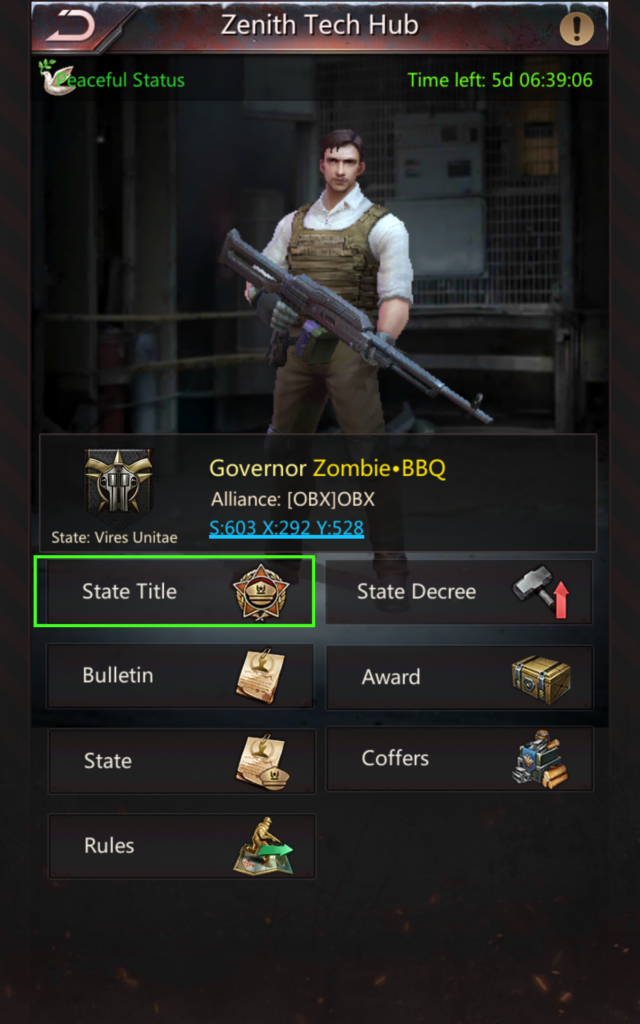
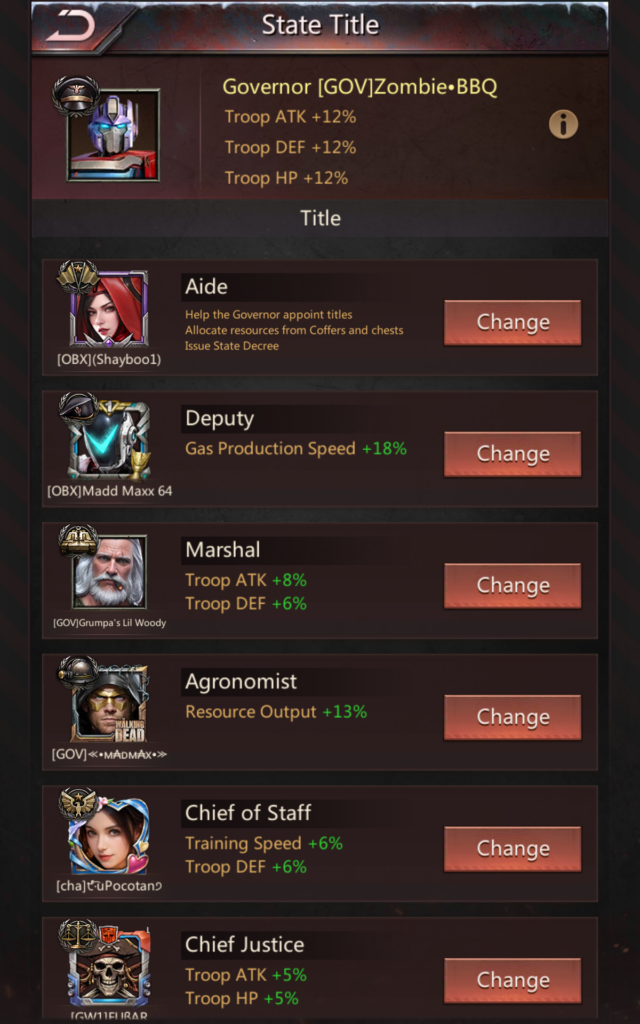
Under “View Details”, clicking the “State Title” button brings up the list of titles:
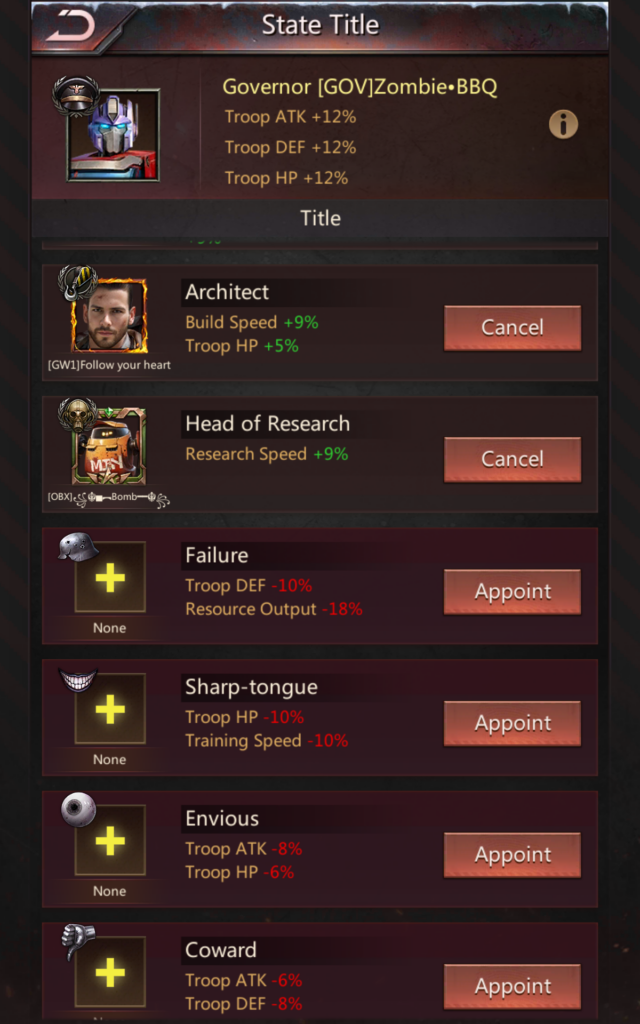
Clicking the “+” sign or the “Appoint” button allows you to select someone from your own alliance or use the “Other Player” tab to find a player outside your alliance.

Titles can only be changed once per day:
- The “Cancel” button removes a title, but it can’t be re-assigned until the next day.
- If a person has held their title for 24 hours or more, a “Change” button appears next to the title holder. “Change” allows you to appoint a new player to this title.
Award Boxes (Gov + Aide)
In the Zenith Hub under “View Details”, click the “Award” button.
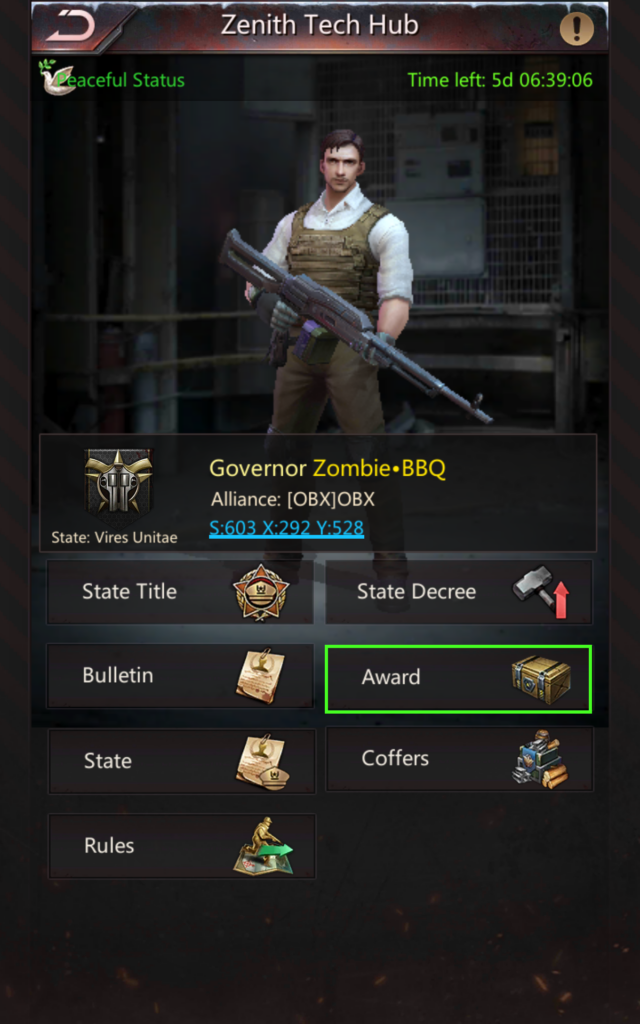
This lists the four types of boxes that can be awarded. Some states have specific rules about who should receive what kind of box, but generally:
- King’s Sword:
- Option 1: YOU (Governor) receives the King’s Sword box
- Option 2: You award King’s sword tot he player with the highest damage
- Your Captains receive the Ruler’s Hand boxes
- Major contributors receive the Loyalty boxes
- Everyone who participated (prioritized by might) receives a Contribution box
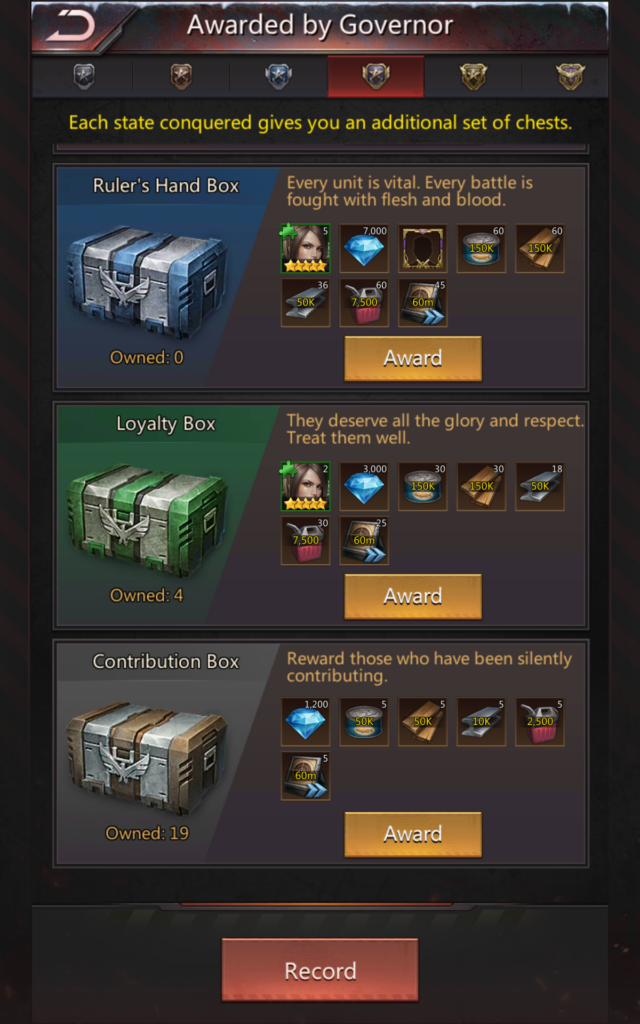
Clicking the “Award” button to the right of a box allows you to select a player.

If the “Award” button is grayed out, that person has already received a box. If you conquer another state, a single player can be awarded multiple boxes. Otherwise, each player can only receive one box regardless of type.
You must choose. But choose wisely
– The Grail Knight
Other Methods to Appoint Titles and Award Boxes (Gov + Aide)
Titles and boxes can also be awarded by clicking someone’s HQ, or by viewing their profile.
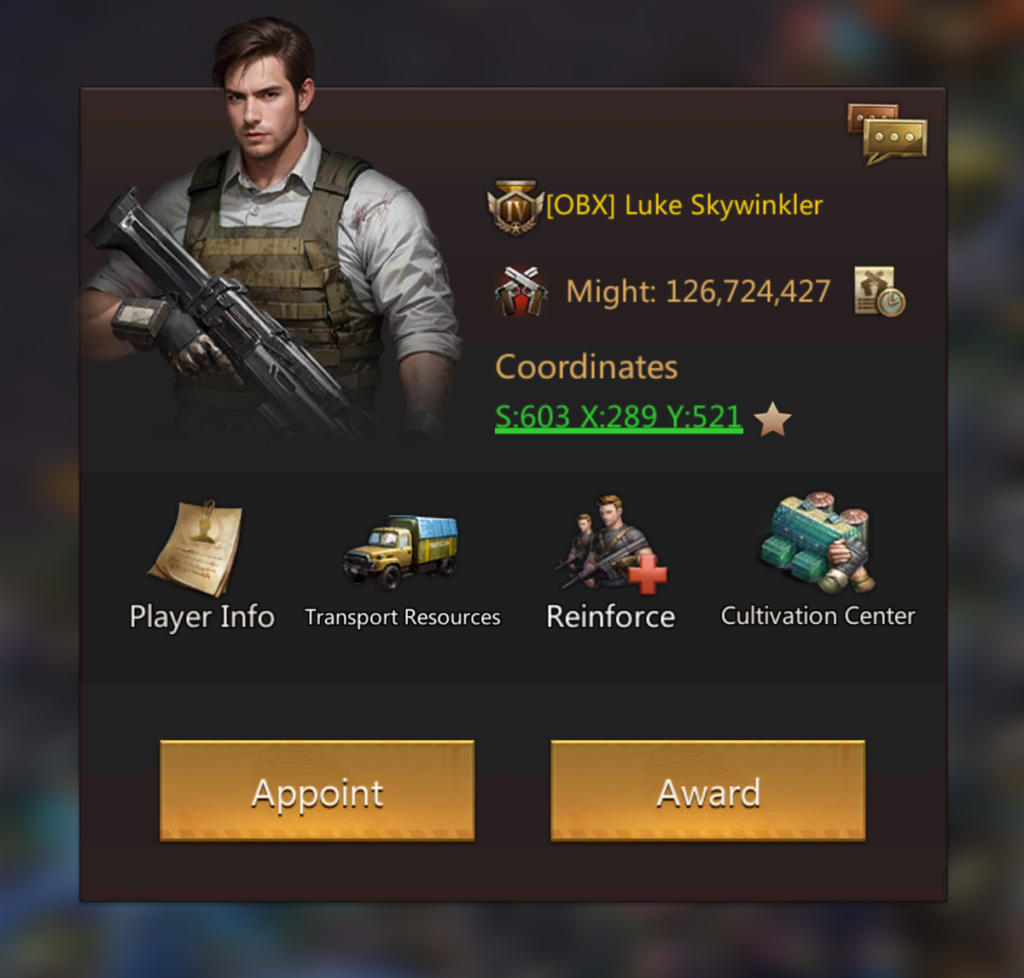
If they click on someone’s HQ on the map, Governor and Aide get two additional buttons:
- Appoint – appoint the player to a title. Clicking this allows you to select which title (subject to the 1 change per day rule).
- Award – award the player a box. Clicking this allows you to select a box to award them.
If Governor or Aide view someone’s profile (Player Info), they get extra options underneath Settings.
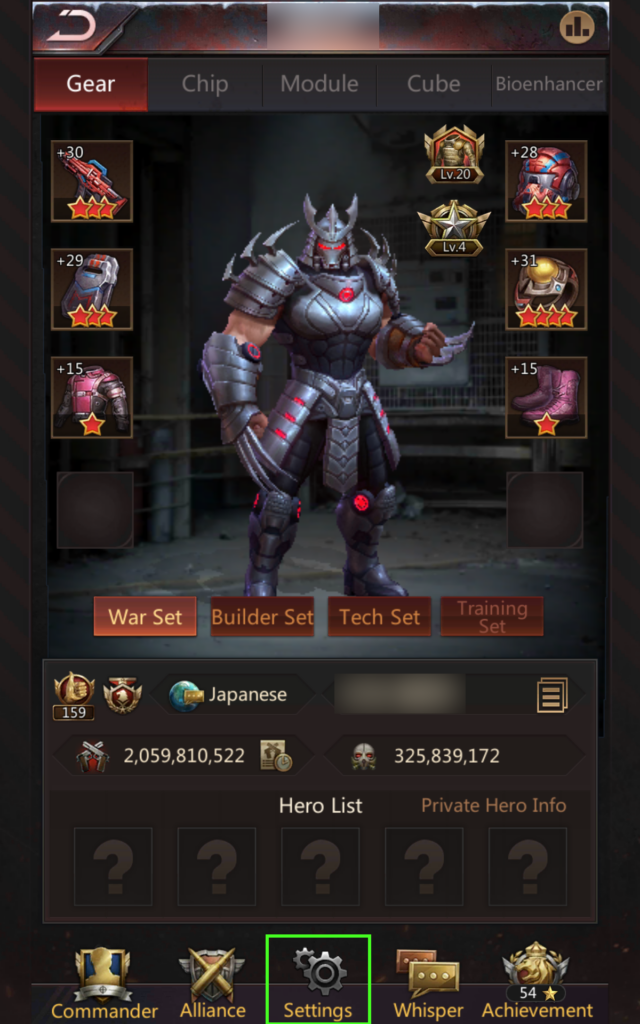
Governor and Aide get two extra options:

- Appoint – Appoint a title to this player
- Governor’s Award – Award this player a box
Use State Decrees (Gov + Aide)
State “Decrees” are boosts that can be activated once per term, and reset at the beginning of the next WK.
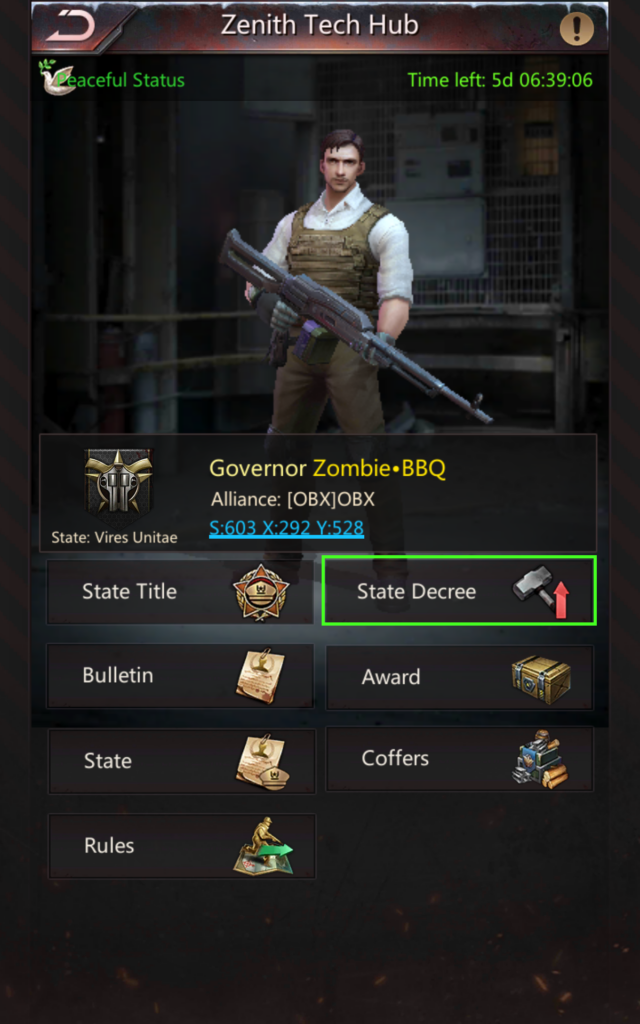
From Zenith Hub, click “View Details” then “State Decree”.

Clicking “Use” next to any decree activates the decree. See “Activate State Decrees on Ace Day” above.
Allocate Resources from State Coffers (Gov + Aide)
From the Zenith Tech Hub, click on View Details, then “Coffers”.
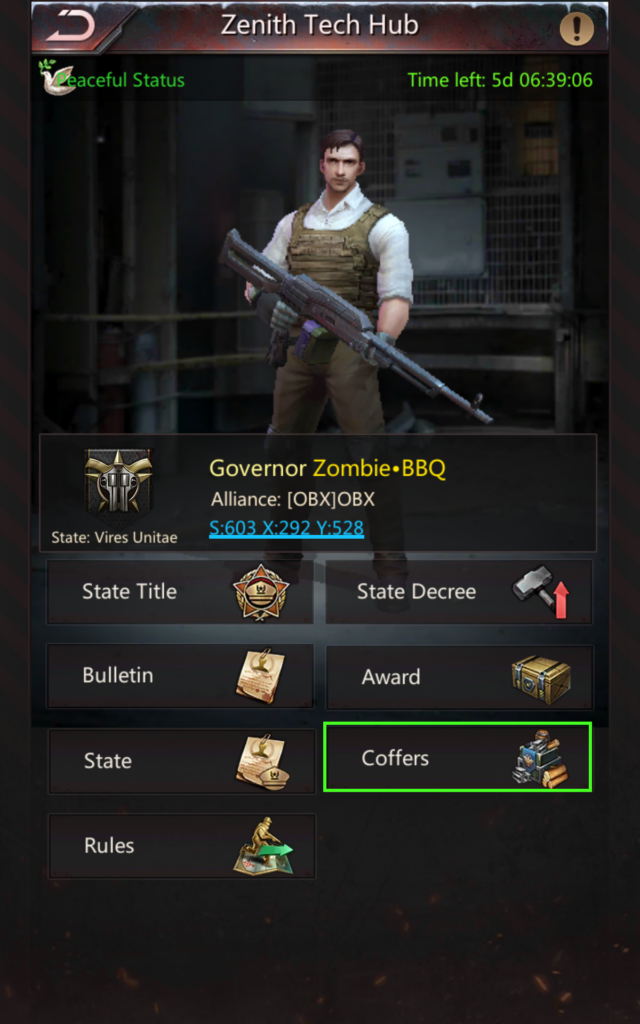
Clicking on a “Allocate Resources” allows you to select a player, then allocate up to 10M resources.
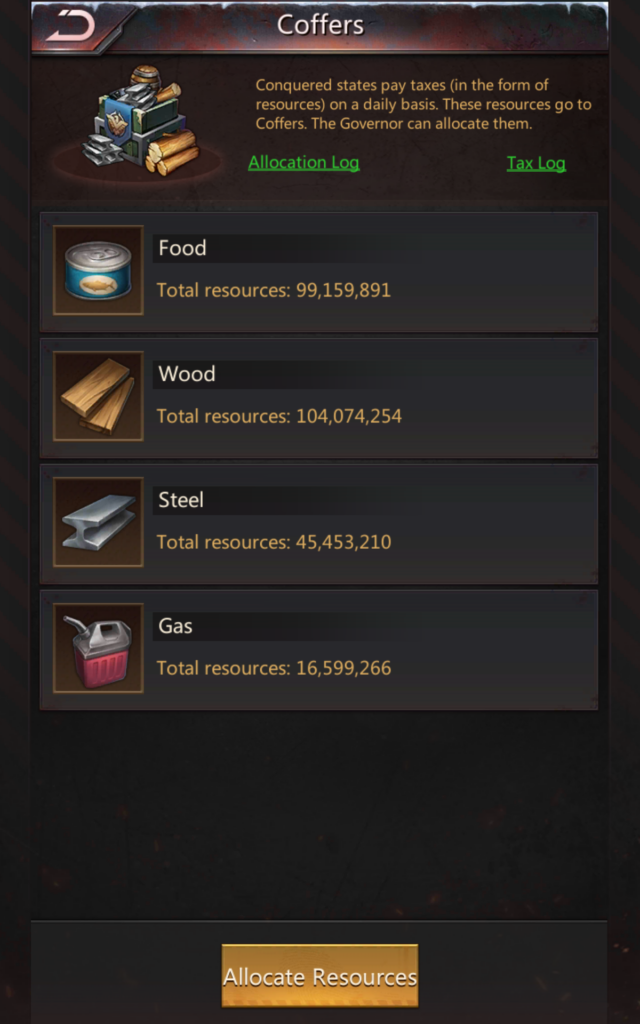
When selecting a player, you can select an Alliance Member or select “Other” to select another player from the state.
Unfortunately, it lists players by might, so if you need to allocate resources to someone specific, you might want to join their alliance first.
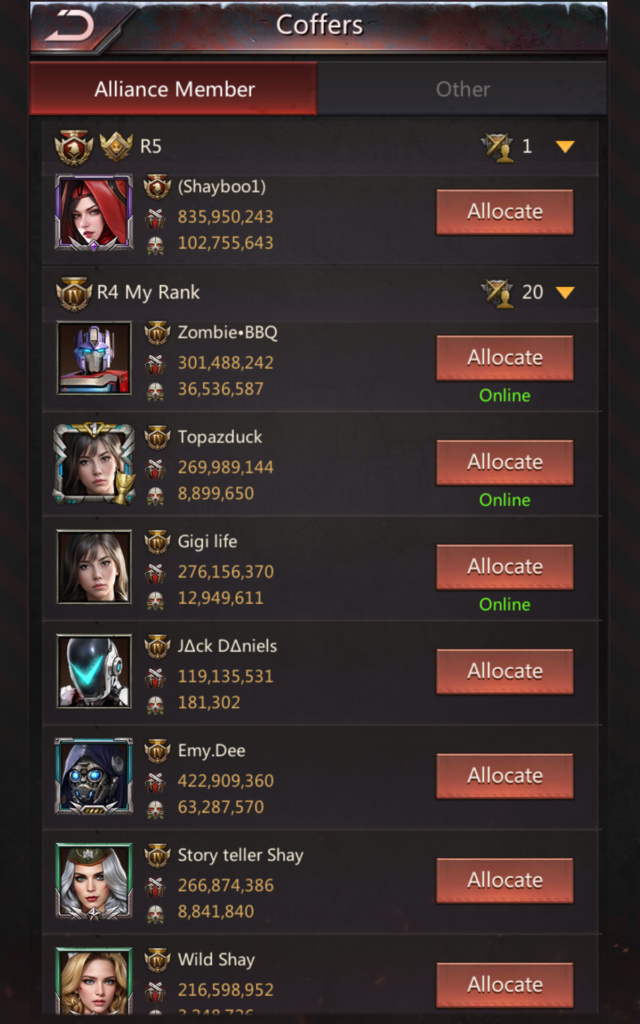
Once you click “Allocate” next to a player, adjust the sliders to select up to 10M total resources, then click “Allocate Resources”.

State Bulletin (Gov Only)
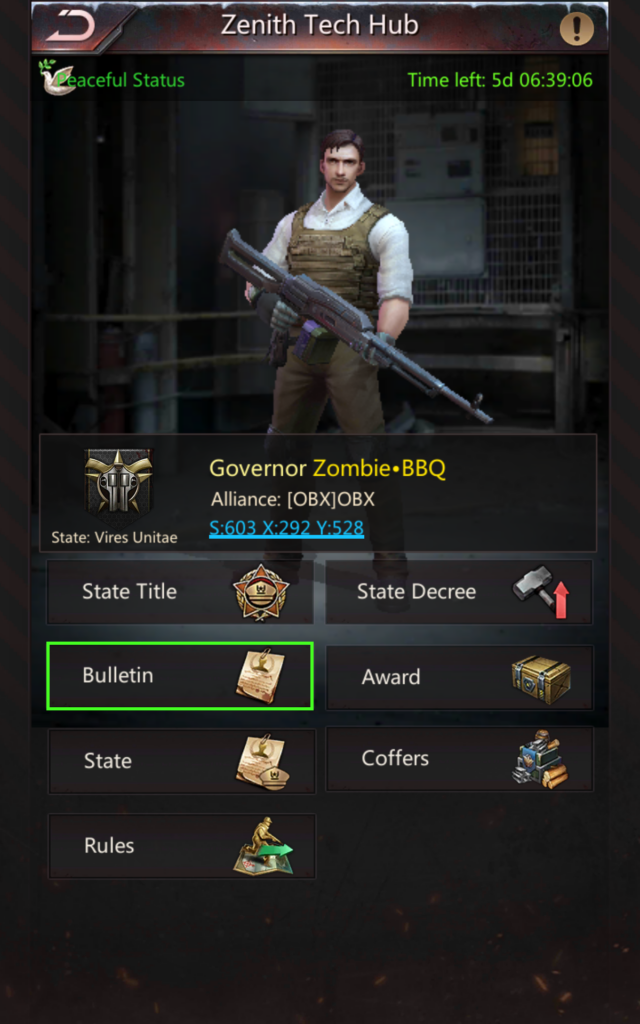
Clicking “Bulletin” allows the Governor to modify and publish the state bulletin.
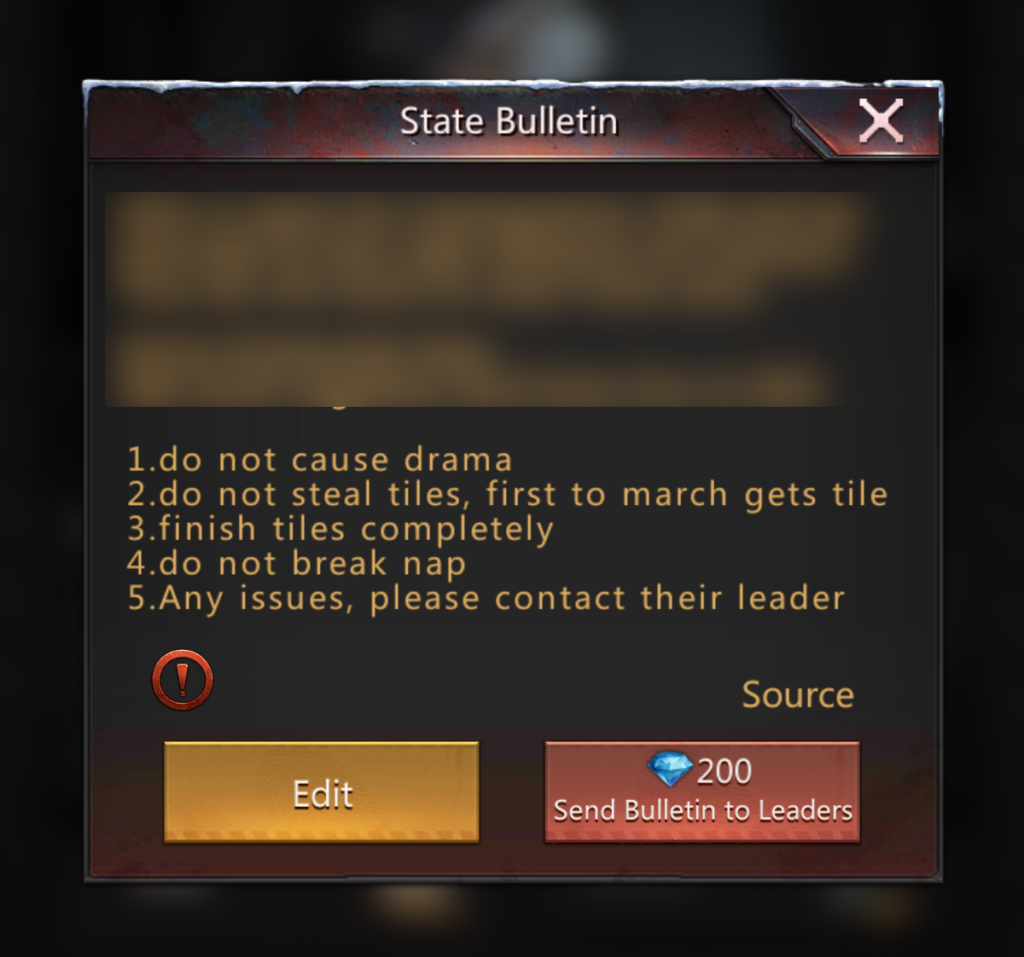
- Edit – Modify the bulletin
- Send Bulletin to Leaders – Alliances get a notification that bulletin was edited
Edit State Name (Gov only)
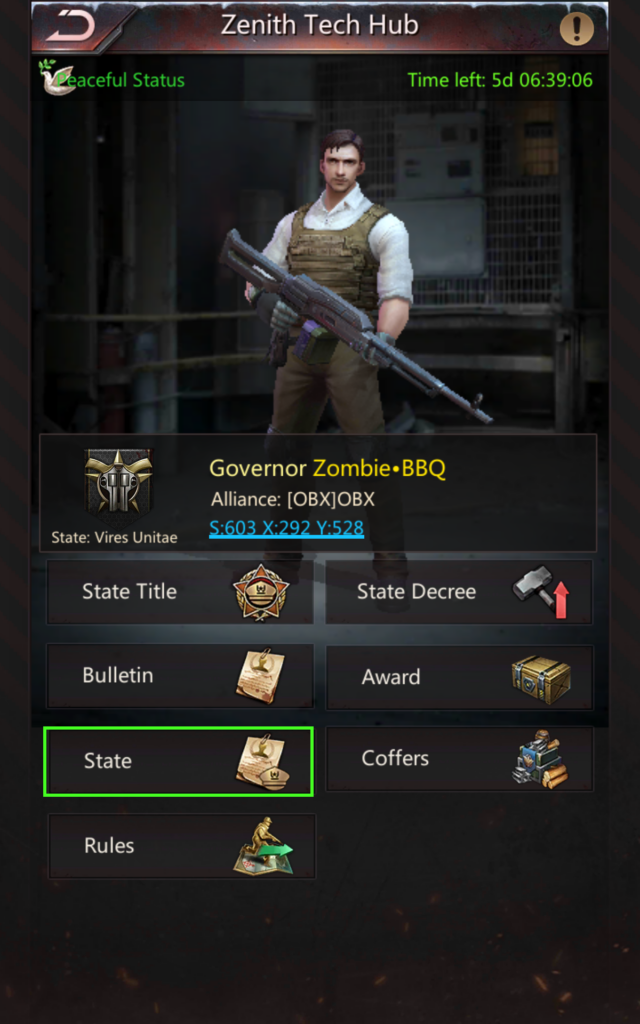
Clicking “State” allows you to change the state name:
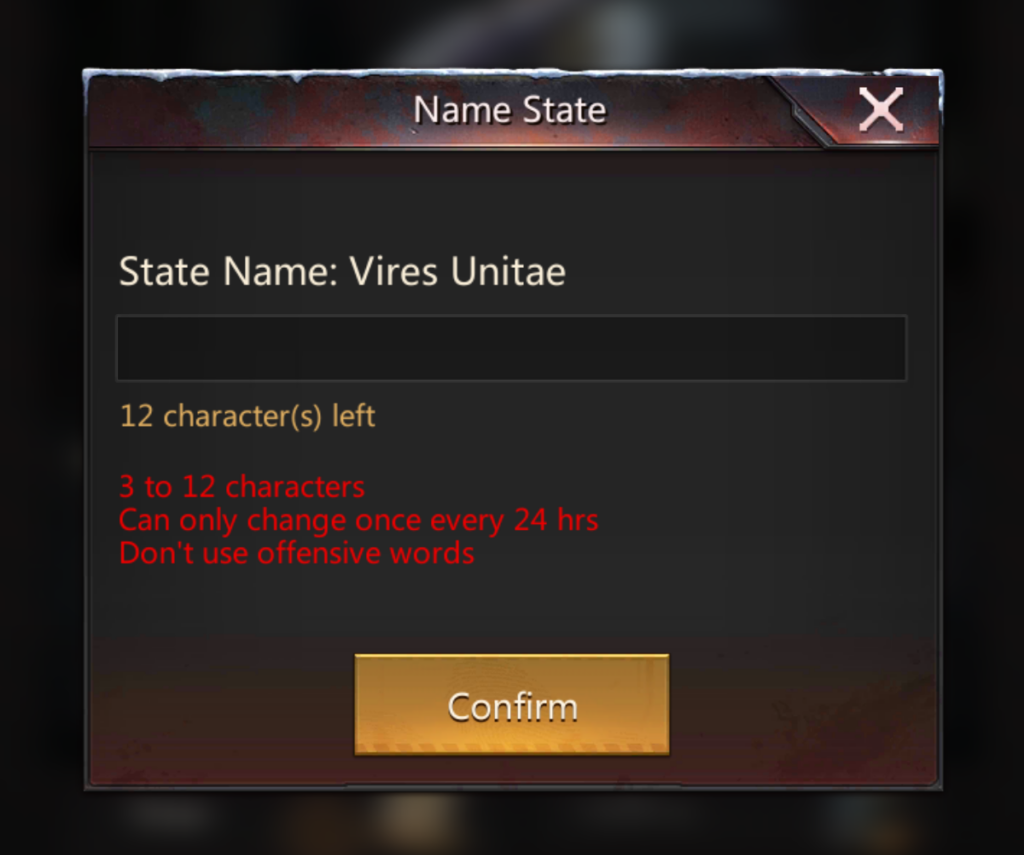
State Name must be:
- 3 to 12 letters
- Must be unique
- Can only be changed once per day
- Filtering is in place, similar to playernames, where offensive words can’t be used
State Rules / Approving Immigration (Gov or Gatekeeper)
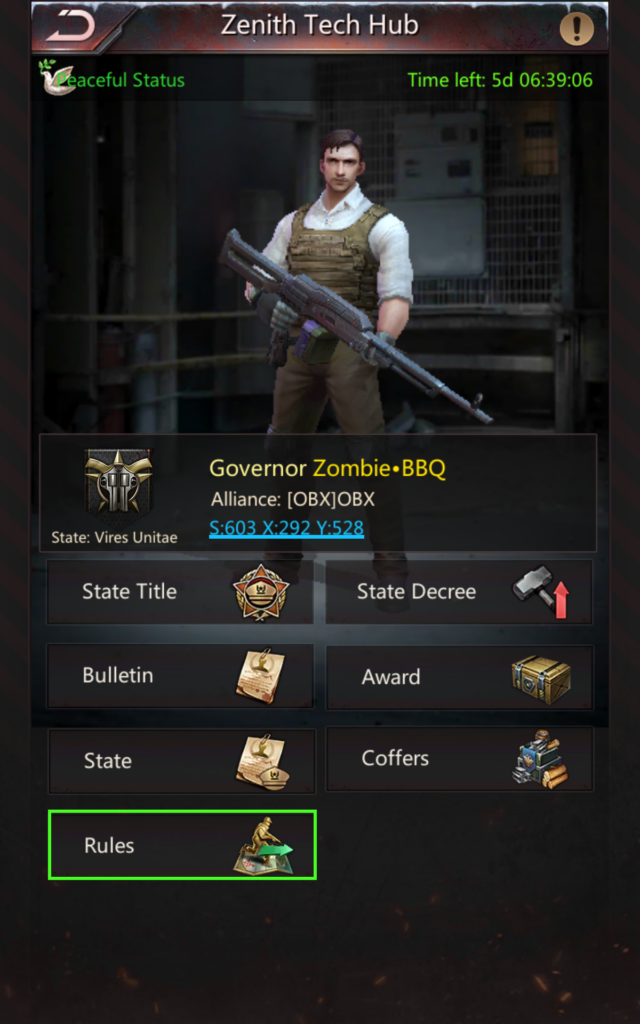
Clicking “Rules” allows you to set the HQ size limit for the state, and also approve immigration, which is far more important.
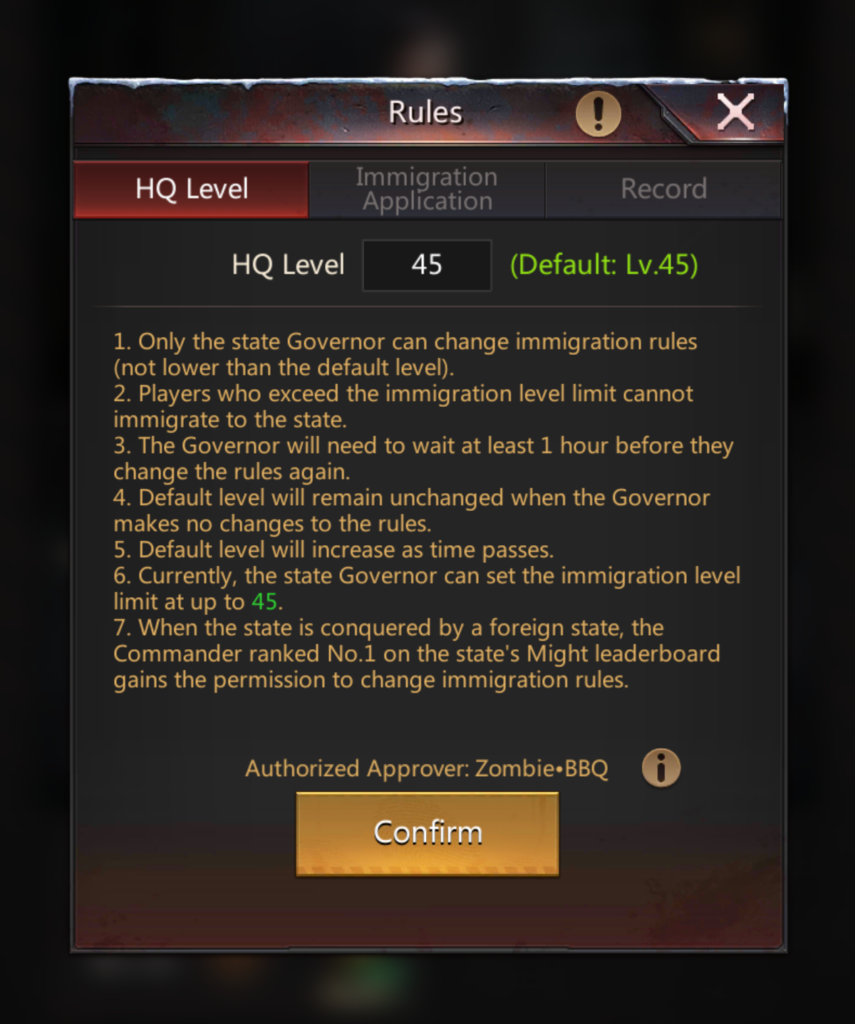
The first tab under “Rules” allows the Governor to set the maximum HQ level that can apply for immigration. However, this number can not be set below the highest HQ in the state. So if your state has a HQ45, this is stuck at 45, which is the highest.
This is meant to protect newer states from super-huge accounts, but once your state is fairly-well established, this setting becomes kind of pointless.
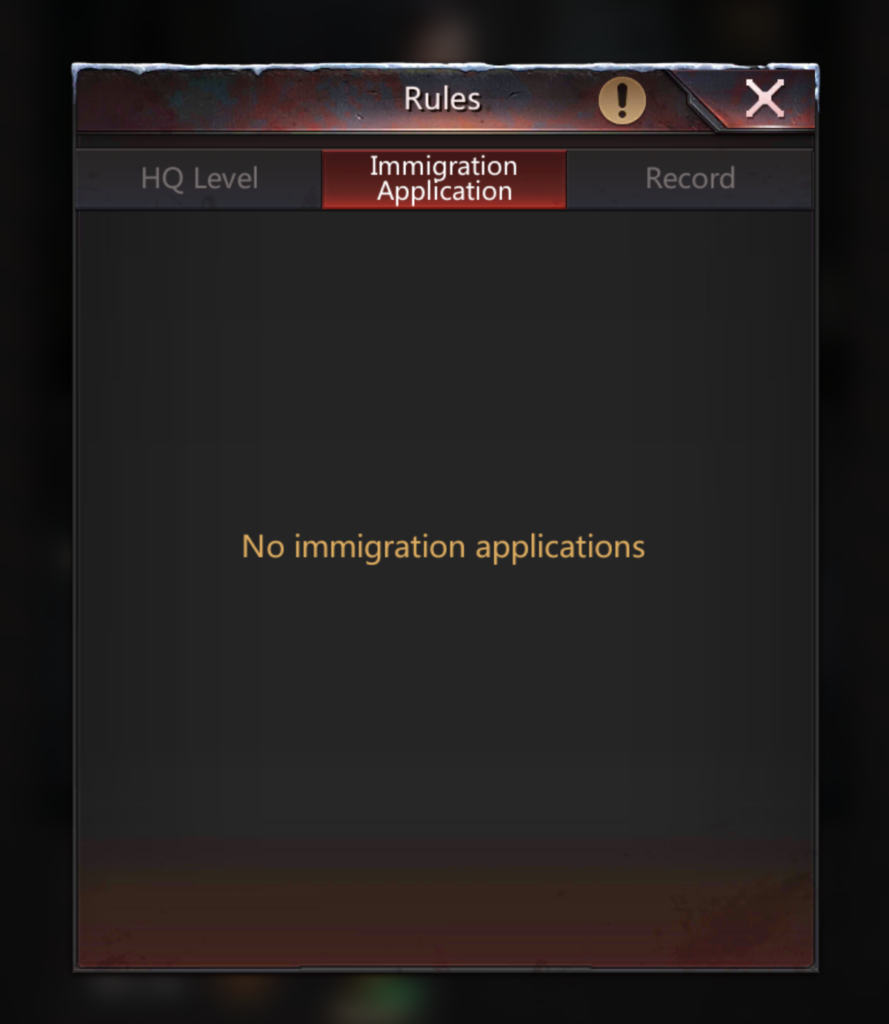
If there were any immigration requests, Gov can “Approve” or “Decline”.
A record of all immigration requests and their disposition is stored under the “Record” tab.
Public Information
There is quite a bit of information you can determine by looking at some other state’s hub.
Comparing a Conquered vs. “Winning” State
First, let’s look at a conquered state, then we can compare that to another state who held their hub. FYI, I have visited both of these states, but am in neither currently.
To get to the Zenith Tech Hub of any state, go to the map, click on the coordinates at the top, and enter the state number, followed by X:256 Y:512. Then click on the Zenith Hub.
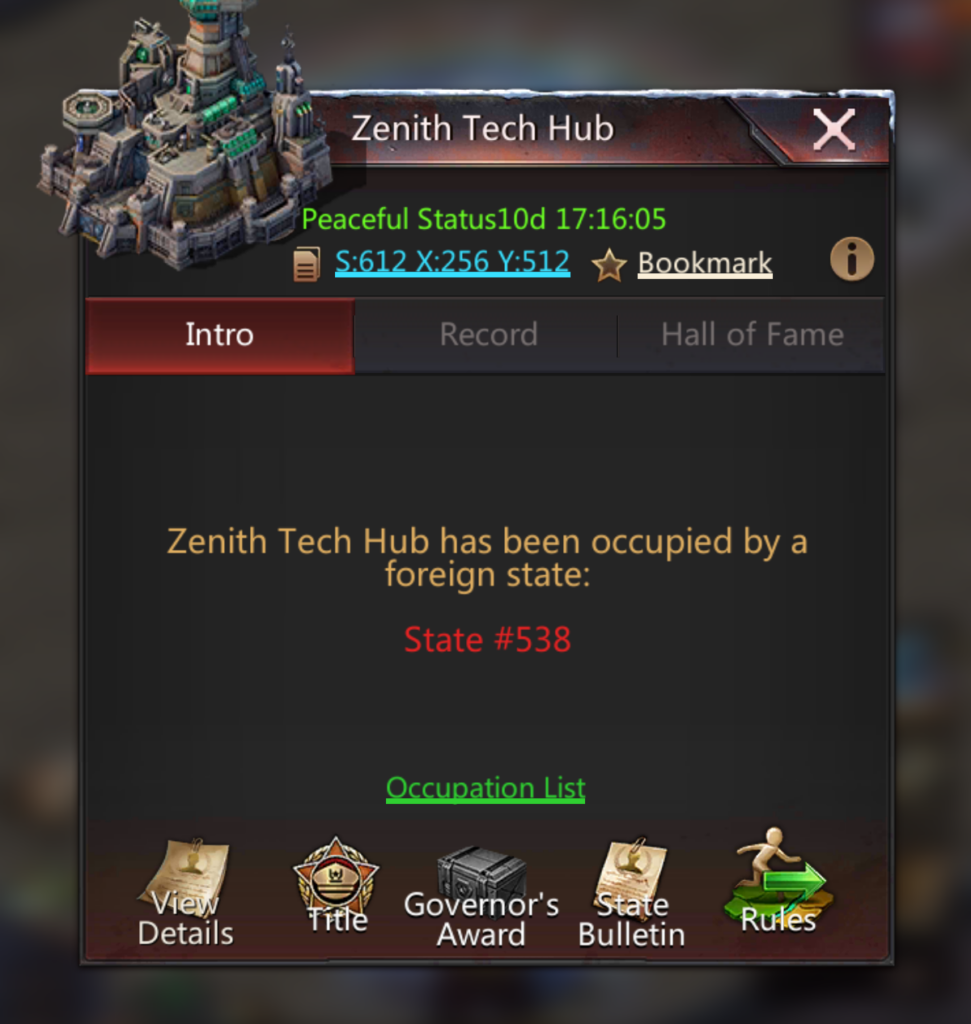
A conquered state will list the occupying state. The occupying state has no permissions – they can’t grant titles or award boxes within the conquered state, but:
- The conquered state’s boxes go to the conquering state
- The conquered state’s taxes go to the conquering state’s coffers
Clicking “Occupation List” (above Governor’s Award) shows occupation time for each occupying alliance.
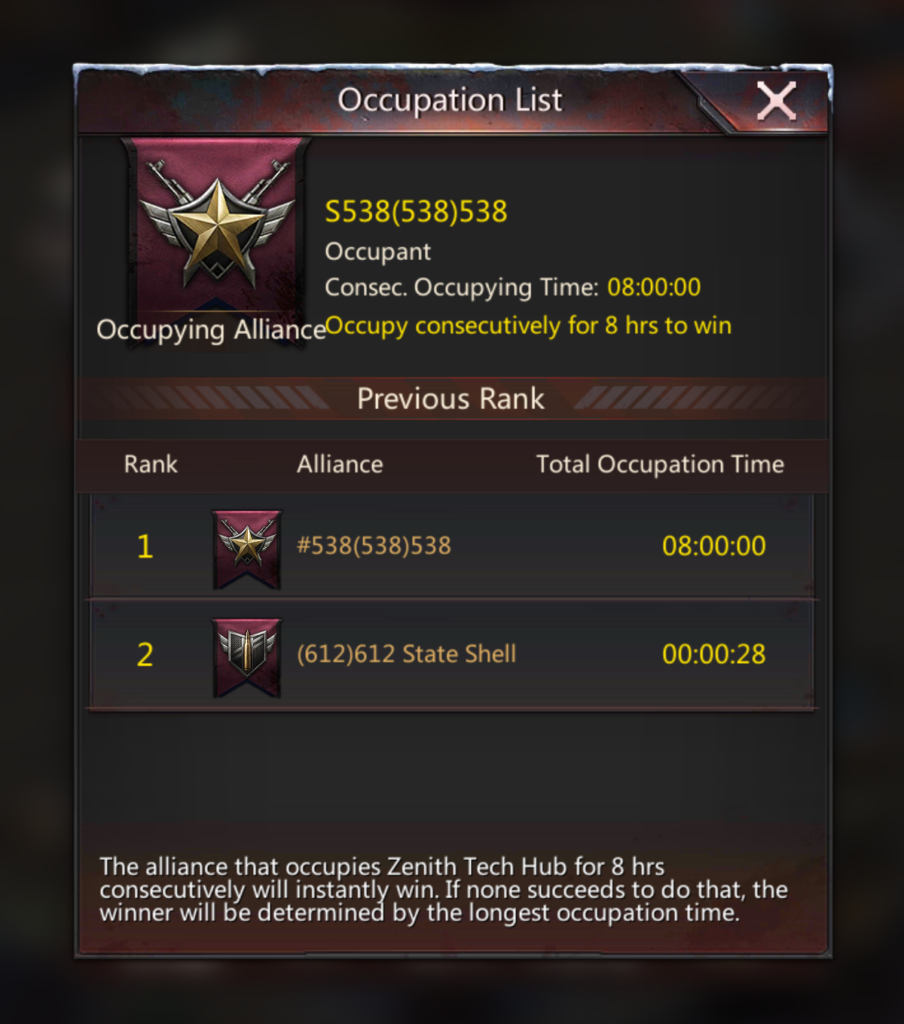
In this case, WK was over for these poor guys in 28 seconds.
Now, let’s compare by looking at a state who “won” by holding their hub.
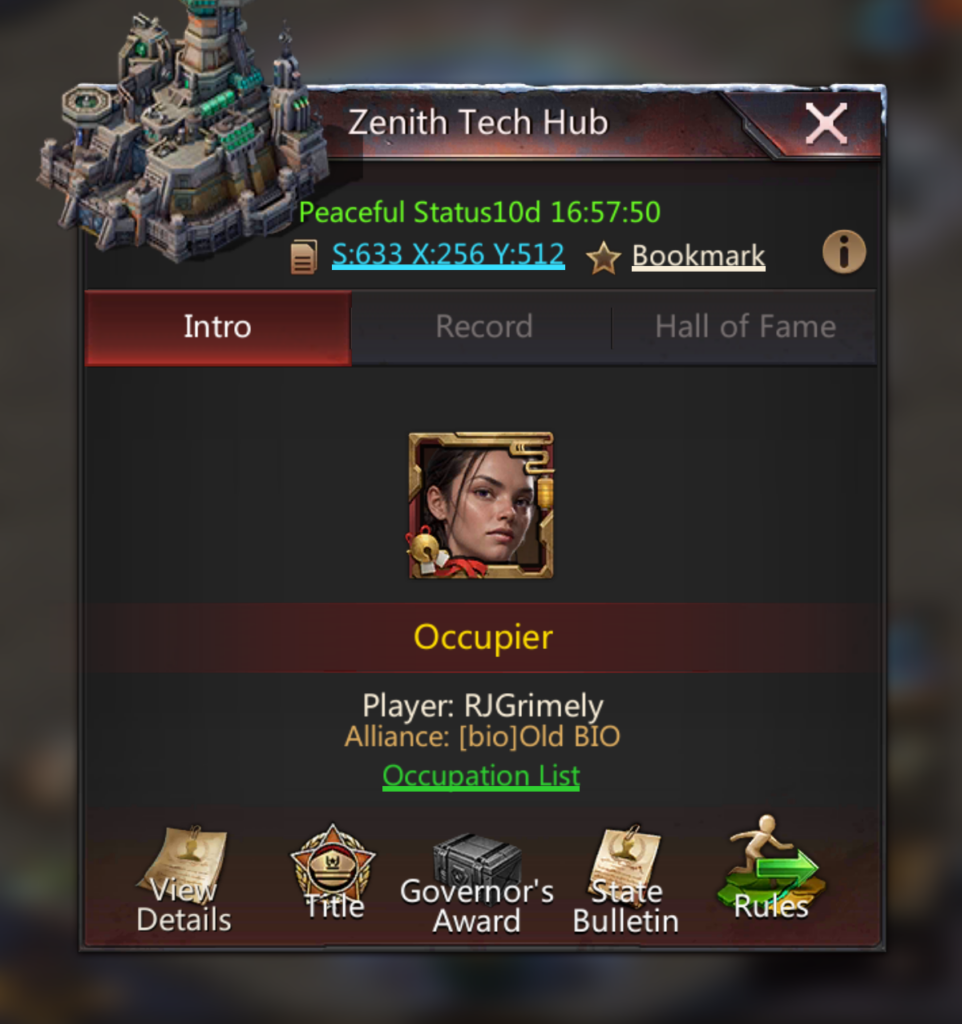
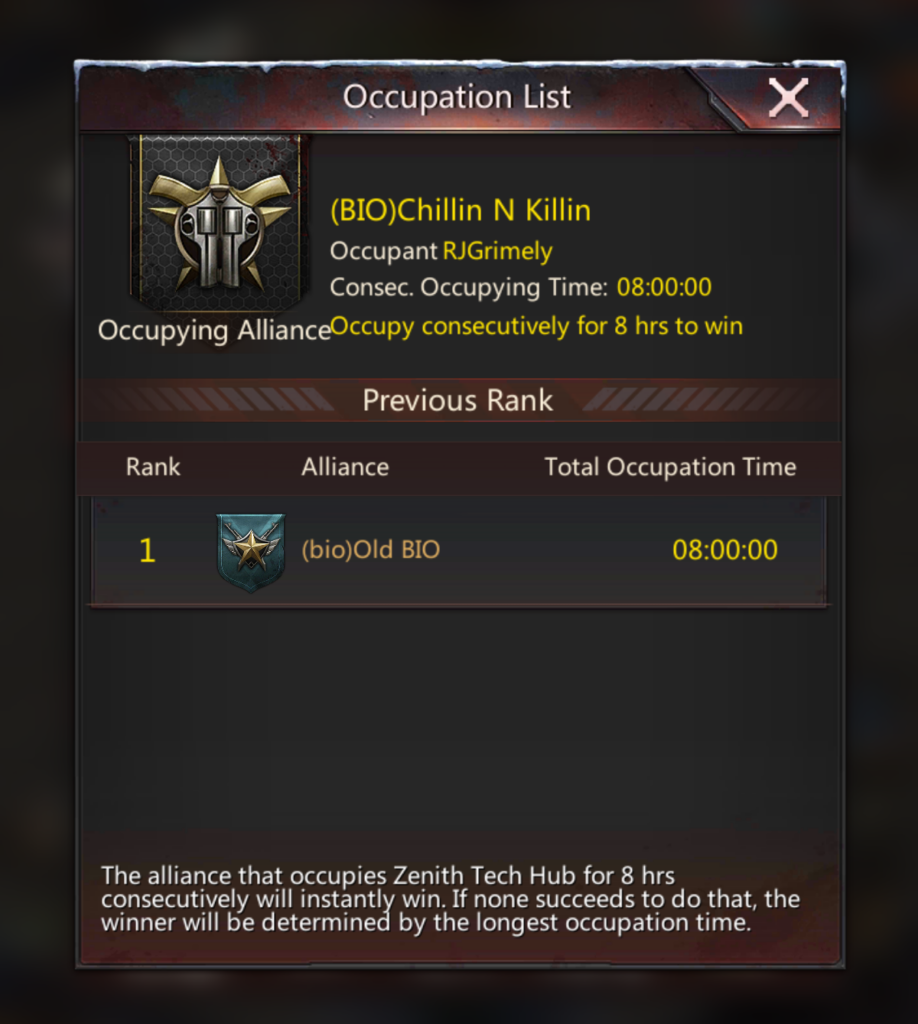
“Occupier” is the current Gov. Clicking on “Occupation List” shows us that they either had NAP or never lost their hub, as there was only one occupier for 8 hours.
Hall of Fame
You can view the history of every Gov since the state’s inception by clicking on the “Hall of Fame” tab.

There are a few things you can deduce from this:
- If you see a “state” alliance (usually “GOV” or the state number), then the state is most likely some form of democracy.
- If you see a single alliance, especially one that’s listed repeatedly, the state may be a dictatorship.
- Any gaps in the dates indicates that the state was conquered.
From the image above, we can deduce that the state worked together, using the state shell ( [633] alliance ) until this last WK. Why this changed, we can’t tell. Is it pirates? Or was BIO simply hosting because they had the room, and maybe their tech tree is better. Maybe BIO is leaving the state and BIO becomes the new state shell. Future WKs will provide more information.
No gaps in dates indicates that the state doesn’t get conquered very often.
Governor’s Info
From the Info tab of the other state’s hub, click “View Details”.

The Governor’s current information, including map coords are listed.

Clicking on the map coords takes you right to the Gov’s HQ for that state.
State Official Info

From the hub’s “View Details” page, clicking “State Title” allows you to see what titles are currently appointed.

Clicking on any player’s avatar from the list shows you the player’s profile.

Although you can’t determine the player’s coordinates, this feature can still be very useful.
Things you can learn:
- If all titles are consolidated to one alliance, this usually indicates a dictatorship.
- If there are lots of negative titles, this usually indicates that the state has some kind of internal strife.
In this case, the titles all look appropriate.
State Decree Info
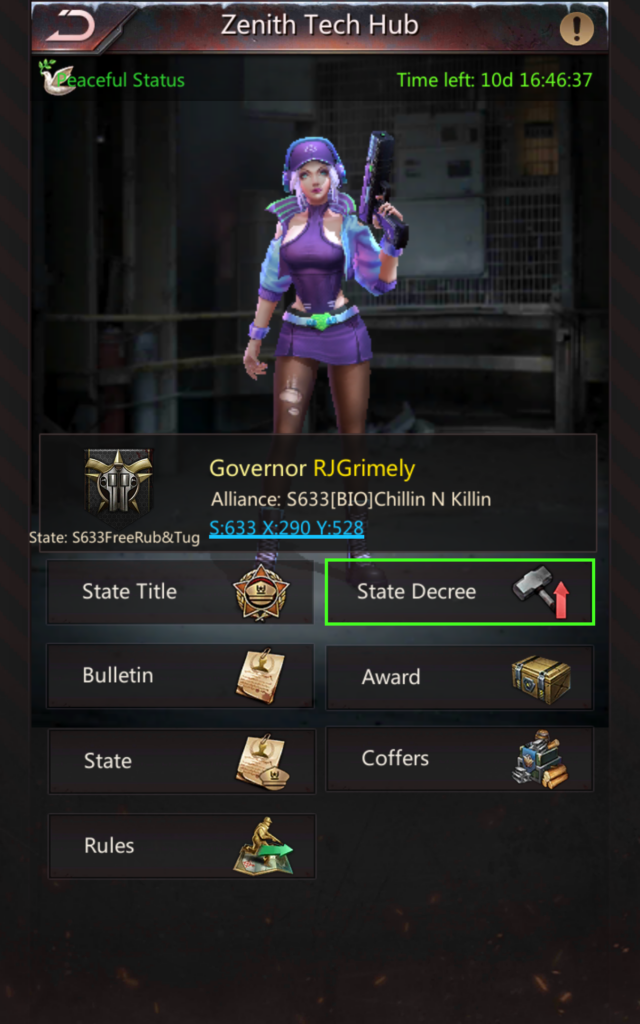
You can view which state decrees have been used by clicking”State Decree” underneath the foreign state’s “View Details” page.
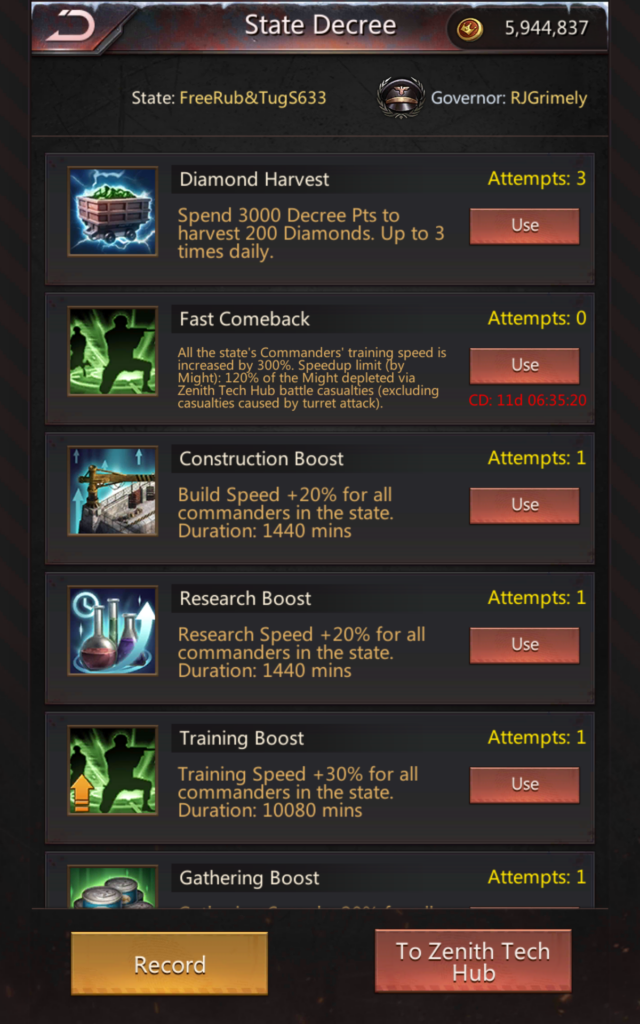
Clicking “Record” at the bottom allows you to see what decrees have been used and when.

Unfortunately, there isn’t much to learn here, unless you stumble across a state where no decrees have been used because the Gov doesn’t know how or when to use them.
State Bulletin Info

Clicking “Bulletin” either from the Info panel or from the “View Details” page allows you to view (and translate) the State Bulletin.

Things you might normally see in a State Bulletin:
- NAP rules. Ideally, NAP requirements should be listed, along with a list of NAP alliances. In this case, 633 is statewide NAP.
- One or two tile rules. In this case, there are exactly two tile rules.
- “No Drama” or similar.
Red flags:
- Tile rules are listed first. This sometimes indicates that the foreign state has lots of tile problems.
- “Weird” tile rules, such as only being able to gather Lv 7 tiles if you are part of a specific alliance or top x alliances.
- Excessive (more than 3) tile rules. Again, the more times “tiles” is mentioned, the bigger the red flag.
- “No Drama” is normal, but weird rules such as “No profanity” / “No offensive language” is completely unacceptable. This is an adult game. Adults play. Easily-offended people who can’t handle it should switch games.
- Racism, such as “this is a primarily [race] state” or “no [race] alliances allowed” – use the red exclamation point to report them.
If there are a bunch of red flags in a state’s bulletin, you might want to avoid immigrating there 🙂
As Gov, as you compose your state’s bulletin, think about how it will be viewed by alliances and players who wish to immigrate.
State Coffers Info

In the other state’s “View Details” page, clicking “Coffers” shows the state’s current coffer resources.

Although these numbers by themselves don’t indicate very much, a state that gets conquered often is going to have fewer coffer resources.
Clicking “Allocation Log” at the top shows which players received allocations.

This might hint at which players are about to start a big build or have a build cooking, or recently completed.
From the Coffers page, clicking “Tax Allocation” (top-right) shows which states have paid taxes to the state you are viewing.

Viewing the tax log gives you an idea of how frequently a state conquers other states. In the example above, 633 (the state being viewed) conquered 807 on 1/24/26, and 621 on 9/6/25 before that. So only about once per 6 months.
Stuff that Does Not Work
Despite all of the great information available via a state’s Zenith hub, there are a few things that either don’t work, or aren’t useful.

The “Award” information shows YOUR OWN state, not the foreign state. It would be nice to see who gets boxes, which is another indicator of a dictatorship.
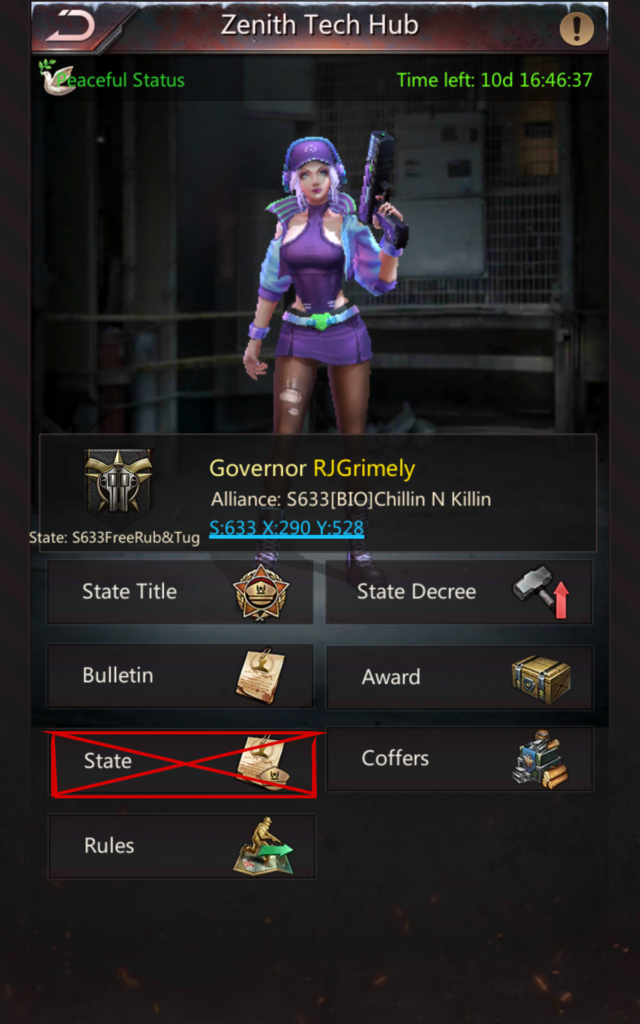
Only the state’s Gov can change the state name, so clicking on “State” just says “Access Denied”.
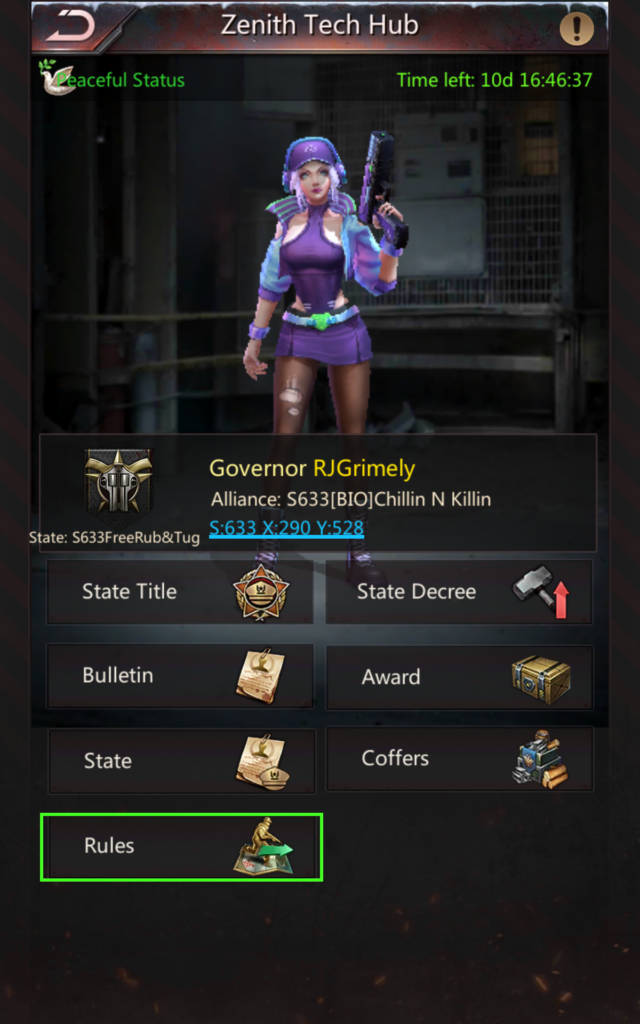
Clicking “Rules” technically works, but isn’t helpful. I’m pretty sure that at one point, you could view another state’s immigration history under “Rules”, but this does not currently work. It just shows “No info”.
Related Achievements
Here are the achievements related to being Governor:
| Achievement | Type | Objective |
|---|---|---|
| Conqueror / State Official | Regular | Hold any positive title in your state |
| Conqueror / Governor | Regular | Become Governor in Wasteland War 1x in |
| Conqueror / Well-beloved | Regular | Become Governor in Wasteland War 3x in |
| Conqueror / Clean Sweep I | Regular | Kill 1,000,000 or more units in Wasteland War |
| Conqueror / Clean Sweep II | Regular | Kill 2,000,000 or more units in Wasteland War |
| Conqueror / Clean Sweep III | Regular | Kill 5,000,000 or more units in Wasteland War |
| Conqueror / Blood & Glory | Hidden | Have 1,000,000 T8 or higher units killed in Wasteland War |
| Conqueror / Great Leader | Hidden | Conquer all opponents and become the Governor in Wasteland War |
The “State Official” achievement is the easiest, and therefore many states have a “waiting list” for state titles so that people can unlock this achievement. If not, it builds a lot of good will to “spread the love” by working with other R5s to ensure that everyone gets this achievement. For example, if you decide to cycle just 2 titles, you can give out this achievement to up to 28 people.
Likewise, some states rotate Gov by alliance, then it’s up to the alliance to choose who will be the incoming Gov. In other states, Gov is voted upon by council. So if you can get “on the list” to be gov, you can eventually get this achievement.
Conclusion
Thank you for reading, and I hope you found this useful.